Find Risks
Review the workbook before someone else does.
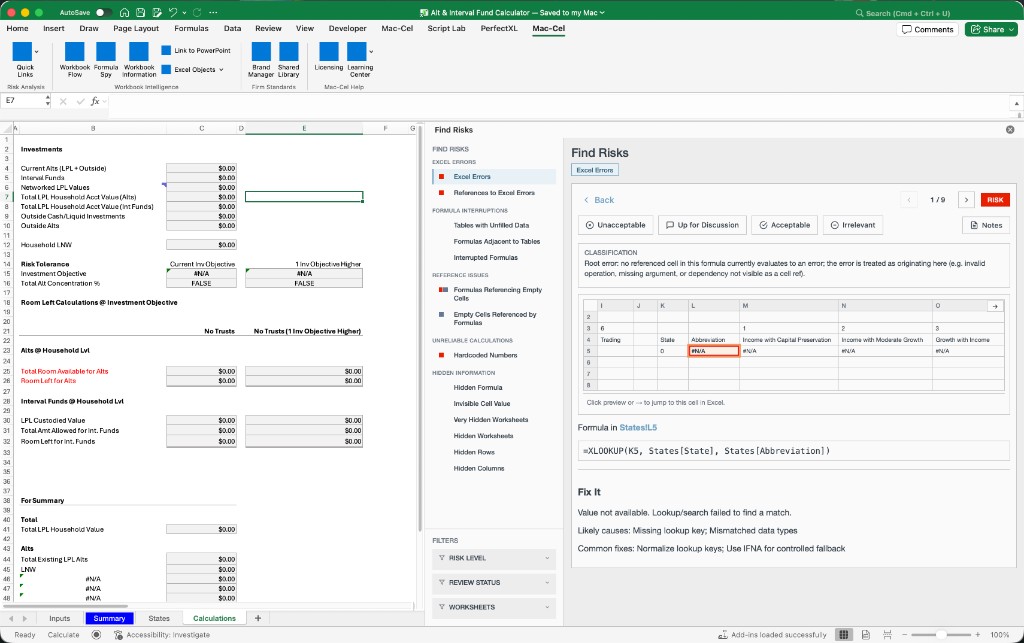
Find Risks scans the open workbook across fourteen categories, tags findings by severity, and lets you work the list — filter it, navigate to each location, and mark what you've cleared.
The problem
Spot-checks miss what a list would catch.
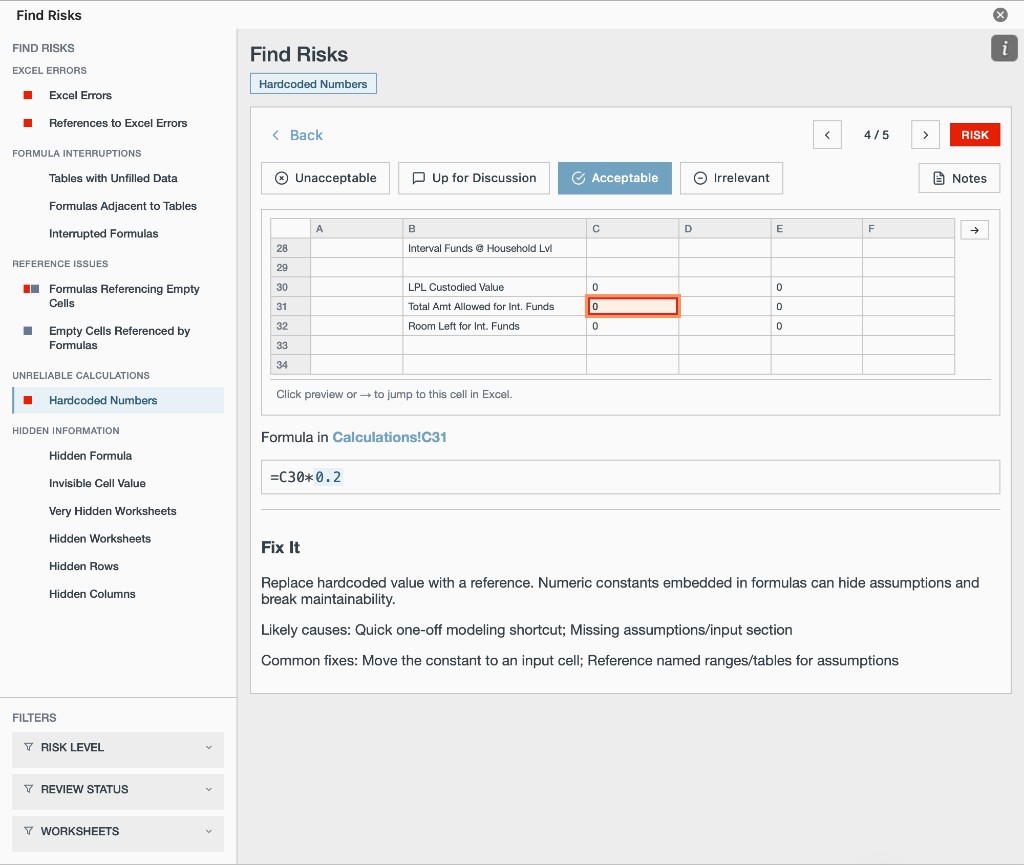
Hardcoded numbers sit next to live formulas. Hidden sheets and interrupted formulas do not announce themselves. A finite set of detectors, worked as a review list, is how you cover the ground before a client or partner does.
What it does
Fourteen detector categories
Hardcoded numbers, Excel errors, references to Excel errors, formulas referencing empty cells, empty cells referenced by formulas, tables with unfilled data, formulas adjacent to tables, interrupted formulas, hidden formulas, invisible cell values, very hidden worksheets, hidden worksheets, and hidden rows and columns.
Severity taxonomy
Every finding is tagged risk, weakness, or observation — the same severity language used in the task pane.
Review workflow
Filter by severity, sheet, or review status, and mark findings as you clear them so a long review survives being interrupted.
Navigate to the finding
Jump from any case to the cell or sheet it came from.
Fix It guidance
Each finding carries guidance on how to resolve it. You make the change; Find Risks does not modify the workbook.
Fourteen detector categories
Values and formulas
- Hardcoded numbers
- Excel errors
- References to Excel errors
- Formulas referencing empty cells
- Empty cells referenced by formulas
- Interrupted formulas
- Hidden formulas
- Invisible cell values
Tables
- Tables with unfilled data
- Formulas adjacent to tables
Visibility
- Very hidden worksheets
- Hidden worksheets
- Hidden rows and columns
What Mac-Cel doesn't claim
- Find Risks is a finite set of detectors, not a guarantee.
- It does not find every spreadsheet error.
- It does not modify the workbook: Fix It is guidance, and you make the change.
- It is not a certified audit methodology.
Who it's for
- Associates reviewing junior models before they leave the team.
- Consulting model-QA reviewers checking work before a client send.
- FP&A teams clearing recurring models after a handoff.